Ultimate WhatsApp Automation Guide: Boost Lead Generation
- Understanding WhatsApp Automation: Key Concepts and Benefits for Lead Generation
- Setting Up Your WhatsApp Business Account for Automated Outreach
- Building Automated Messaging Workflows: Templates, Triggers, and Segmentation
- Implementing Lead Capture Forms and Chatbots within WhatsApp Conversations
- Optimizing Message Timing and Personalization to Maximize Lead Conversion
- Advanced Integration Strategies: Connecting WhatsApp with CRM and Email Automation
- Best Practices for Scaling WhatsApp Automation While Maintaining Compliance
- Measuring Success: Analytics, A/B Testing, and Continuous Improvement
Understanding WhatsApp Automation: Key Concepts and Benefits for Lead Generation
UnderstandingWhatsApp Automation: Key Concepts and Benefits for Lead Generation
WhatsApp automation is the practice of using software‑driven processes to send, receive, and manage messages without human intervention for every interaction. At its core, it blends three building blocks—triggers, templates, and routing rules—into a single workflow that can engage prospects, qualify leads, and hand off conversations to sales teams. When these components work together, businesses can turn a simple chat app into a scalable lead‑generation engine.
Triggers define the moment an automated action should fire. Common triggers include a new contact addition, a reply to a specific keyword, or the receipt of a lead‑capture form. By tying the trigger to a measurable event, the system ensures that every outreach is timely and relevant. Templates are pre‑approved message formats that comply with WhatsApp’s policy on business‑initiated communication. They often contain placeholders for personalization—such as the prospect’s name or product interest—so the message feels tailored despite being sent at scale. Finally, routing rules determine where a conversation goes after the initial automation. A rule might route a warm lead to a live agent, flag a high‑value prospect for follow‑up, or add the contact to a nurturing sequence.
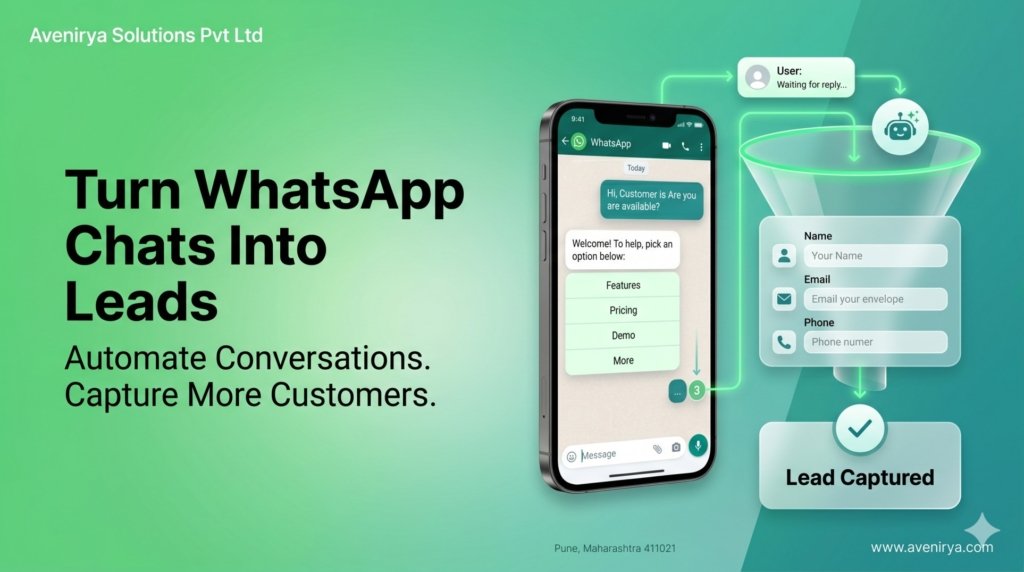
Together, these concepts create a loop that continuously captures and nurtures leads. For example, a visitor to a website clicks a “Chat with us on WhatsApp” button, which instantly triggers a welcome template. The template asks the prospect to select an interest area via quick‑reply buttons. Each selection activates a routing rule that either provides a product brochure or escalates the chat to a sales representative. The entire interaction happens within seconds, eliminating the friction that often causes potential customers to abandon the process.
Beyond the mechanics, the benefits of WhatsApp automation for lead generation are both strategic and operational.
- Higher response rates – Because WhatsApp messages appear directly in a user’s primary messaging app, open and reply rates typically exceed those of email or SMS.
- Instant qualification – Automated questions can segment prospects by intent, budget, or timeline, allowing sales teams to focus on the most promising leads.
- Scalable outreach – A single workflow can handle hundreds of conversations simultaneously, freeing human agents to concentrate on complex negotiations.
- Consistent branding – Templates guarantee that every message adheres to brand tone and regulatory guidelines, reducing the risk of accidental misinformation.
- Cost efficiency – By reducing manual outreach, businesses lower labor costs while maintaining a high volume of touchpoints.
These advantages translate into measurable outcomes. In practice, companies that adopt WhatsApp automation often see a faster lead‑to‑opportunity conversion cycle because prospects receive immediate answers and relevant content. Moreover, the conversational nature of the platform builds trust; prospects perceive a direct, personal line of communication rather than a cold email blast.
However, automation is not a magic bullet. Successful implementation requires thoughtful design of triggers and templates to avoid overwhelming users with irrelevant messages. Over‑automation can also create a perception of robotic interaction, which may deter leads who prefer a human touch. The key is to blend automation with selective human escalation—ensuring that the system handles routine inquiries while a live agent steps in when the conversation deepens.
In summary, understanding the core concepts of triggers, templates, and routing rules equips marketers with the tools to harness WhatsApp as a powerful lead‑generation channel. By aligning these mechanisms with clear business goals, organizations can achieve faster response times, higher qualification accuracy, and scalable outreach—all while preserving the personal feel that makes WhatsApp uniquely effective.
The next step is to set up a WhatsApp Business account that can serve as the foundation for these automated workflows.
Setting Up Your WhatsApp Business Account for Automated Outreach
A solid foundation begins with a properly configured WhatsApp Business account. Without the right settings, even the most sophisticated automation will stumble on simple delivery issues. Below is a step‑by‑step guide that walks a small‑to‑medium business through the essential setup tasks, from choosing the correct account type to securing the profile for professional outreach.
1. Choose the right account type WhatsApp offers two business solutions: the free WhatsApp Business App and the paid WhatsApp Business Platform (API). The app is ideal for entrepreneurs who manage a handful of conversations manually, while the API unlocks bulk messaging, webhook integration, and programmable replies. For automated outreach, most marketers start with the API because it provides the scalability needed for lead generation campaigns.
2. Register a dedicated phone number A business‑grade phone number must be linked to the account. Use a mobile line or, preferably, a virtual number that supports SMS verification. Avoid repurposing personal numbers; a separate line keeps personal and professional communications distinct and protects the brand’s reputation.
3. Verify the business profile Verification adds a green checkmark that signals authenticity to prospects. The process requires uploading official documents—such as a business registration certificate or tax identification number. Once approved, the profile will display:
- Business name (as it appears on official records)
- Profile picture (logo or professional image)
- Description (up to 139 characters, highlighting core services)
- Address and website link
A verified profile reduces friction when users receive outreach messages, increasing the likelihood they will respond.
4. Configure messaging settings
- Greeting message – Set an automatic welcome note that triggers on the first contact. Keep it concise, e.g., “Hi! Thanks for reaching out. How can we help you today?”
- Away message – Define a fallback for outside‑business hours. This informs leads that a response will follow promptly, maintaining professionalism.
- Quick replies – Create reusable short replies for common queries (“Pricing details”, “Store hours”). These speed up manual handling when a conversation moves beyond automation.
5. Enable two‑step verification Security is paramount when handling leads. Turn on two‑step verification in the account settings and choose a strong PIN. This protects the account from unauthorized access, especially when multiple team members share login credentials.
6. Set up API credentials
When using the Business API, generate the following:
- API key – Authenticates each request to WhatsApp’s servers.
- Webhook URL – Receives inbound messages and delivery receipts in real time.
- Phone number ID – Identifies the specific number used for sending messages.
Store these credentials in a secure vault or password manager. Exposing them can lead to message spoofing or data leaks.
7. Define message templates
WhatsApp restricts outbound messages to pre‑approved templates outside a 24‑hour customer‑service window. Draft templates that cover typical outreach scenarios such as:
- New‑lead introduction
- Appointment reminder
- Offer announcement
Submit each template for review through the Meta Business Manager. Expect a few days for approval; plan campaigns accordingly.
8. Connect a CRM or automation platform
Most businesses link the WhatsApp API to a CRM (e.g., HubSpot, Zoho) or a workflow tool like Make or Zapier. This connection enables:
- Automatic capture of inbound leads into the CRM pipeline
- Triggered outbound messages based on lead status changes
- Synchronization of contact information across systems
During the initial setup, test the integration with a sandbox number to confirm that data flows correctly before scaling to a live audience.
9. Test delivery and compliance
Before launching a full campaign, run a pilot with a small internal group. Verify that:
- Messages reach recipients without delay.
- Opt‑out phrases (“Reply STOP to unsubscribe”) appear in every outbound template.
- The business adheres to local regulations, such as GDPR or CAN‑SPAM, by storing consent records.
10. Document the configuration
Finally, create a concise SOP (standard operating procedure) that captures every setting, credential location, and template version. This documentation supports onboarding new team members and ensures consistency when the account is handed over or audited.
With these steps completed, the WhatsApp Business account is ready to support automated outreach. The next logical phase—designing the actual messaging workflows, selecting appropriate triggers, and segmenting audiences—builds directly on this foundation.
Building Automated Messaging Workflows: Templates, Triggers, and Segmentation
When the WhatsApp Business account is ready, the next step is to turn it into a conversation engine that works without constant supervision. Automated messaging workflows achieve that by combining reusable templates, event‑driven triggers, and smart segmentation. Together they create a predictable path from the first inbound ping to a qualified lead, while keeping the tone personal and compliant.
Templates act as the building blocks of any workflow. WhatsApp requires pre‑approved message templates for outbound communication that starts a conversation, so businesses should craft a small library that covers the most common use cases—welcome greetings, appointment reminders, product updates, and follow‑up requests. Each template should follow a clear structure: a concise opening, a specific call‑to‑action, and a polite closing. For example, a “lead‑capture” template might read, “Hi {FirstName}, thank you for your interest in {ProductName}. Reply with “YES” to receive a quick demo link.” By keeping placeholders limited to essential personalization fields, the approval process stays smooth and the templates remain adaptable across campaigns.
Once templates are in place, triggers determine when they fire. Triggers are typically tied to user actions or system events, such as:
- A new contact is added to the CRM
- A user replies with a keyword (e.g., “YES” or “INFO”)
- A scheduled date arrives (e.g., a follow‑up after 48 hours)
- An external webhook signals a completed payment
Each trigger should map to a single template to avoid confusing the prospect with overlapping messages. A practical approach is to sketch a flowchart that lists every possible inbound event and the corresponding outbound response. This visual map helps spot dead ends and ensures that every path leads to a clear next step, whether that is sending a product brochure, booking a call, or ending the conversation politely.
Segmentation refines the workflow by targeting the right message to the right audience. Instead of a one‑size‑fits‑all broadcast, segmentation groups contacts based on criteria such as:
- Lead source (website form, Facebook ad, referral)
- Purchase intent (browsing, cart abandonment, previous buyer)
- Demographic data (region, language)
- Interaction history (opened a link, answered a prompt)
By combining these attributes, a business can create dynamic segments like “English‑speaking leads who added a product to the cart but haven’t responded in 24 hours.” When a trigger fires for a contact in that segment, the system selects the template that matches both the event and the segment’s profile. This level of granularity improves relevance and reduces opt‑out rates.
Putting It All Together: A Sample Workflow
- Lead capture – A prospect fills a web form and is automatically added to WhatsApp with the tag “NewLead.”
- Trigger – The system detects the new tag and sends the “Welcome” template: “Hi {FirstName}, thanks for reaching out about {ProductName}. Reply “INFO” for details.”
- Segmentation check – If the contact’s language preference is Spanish, the workflow swaps to the Spanish version of the same template.
- Response handling – The user replies “INFO.” This keyword activates the “InfoDelivery” trigger, which delivers a second template containing a short video link and a button labeled “Schedule Call.”
- Follow‑up – If the contact does not click the button within 48 hours, a scheduled trigger sends a gentle reminder template: “Just checking if you had a chance to watch the video. Let me know if you’d like to discuss.”
This loop repeats until the prospect either books a call (moving them to the “Qualified” segment) or opts out, at which point the workflow ends gracefully.
Tips for Success
- Start small – Build one complete workflow before expanding. A focused pilot reveals timing issues and template wording problems early.
- Use clear naming – Label triggers and templates with descriptive names like “TRG_InfoRequest” or “TPL_WelcomeEN” to avoid confusion as the library grows.
- Test each segment – Run A/B tests on different template variations for the same trigger to discover which phrasing yields higher response rates.
- Monitor compliance – WhatsApp limits the number of outbound template messages per 24‑hour window; ensure triggers respect these caps to prevent account suspension.
- Iterate with data – Export conversation logs regularly, analyze drop‑off points, and adjust segmentation rules accordingly.
By thoughtfully aligning templates, triggers, and segmentation, businesses transform a static messaging channel into a responsive lead‑generation engine. The next logical step is to enrich these workflows with capture forms and chatbots, turning every interaction into a data point that fuels the sales pipeline.
Implementing Lead Capture Forms and Chatbots within WhatsApp Conversations
Transitioning from the workflow templates discussed earlier, the nextlogical step is to embed mechanisms that actively collect prospect information. Lead capture forms and chat‑driven bots serve as the primary touchpoints where a casual chat turns into a qualified inquiry. By integrating these tools directly into WhatsApp conversations, businesses can keep the interaction within the platform that users already trust, reducing friction and boosting conversion rates.
Why a form inside a chat matters When a prospect receives a message, the impulse to reply is strongest while the context is fresh. Traditional web forms require the user to switch devices or open a browser, increasing drop‑off risk. Embedding a concise form—often just name, phone, and a brief interest field—inside the chat allows the lead to stay in the conversation flow. Data shows that reducing steps between interest and capture can improve completion rates by up to 30 %, a margin that matters for any lead‑generation funnel.
Choosing the right form format
- Quick reply buttons – Ideal for binary choices (e.g., “Yes, I’m interested” vs. “Not now”). They act as a soft pre‑qualification before a full form is presented.
- Interactive message templates – WhatsApp Business API supports structured templates that can request specific fields. These templates appear as fillable placeholders, making the request feel natural.
- Custom form links – For longer questionnaires, a short link to a mobile‑optimized form can be sent. Ensure the landing page is SSL‑secured and matches the brand tone to avoid trust gaps.
Each option balances depth of information against user effort. A common approach is to start with quick replies, then transition to a more detailed template if the prospect signals genuine interest.
Building a chatbot to guide the capture process
A chatbot can automate the sequence of questions, validate responses, and store the data in a CRM. The construction follows a straightforward three‑phase pattern:
- Greeting and intent detection – The bot greets the user and uses keyword matching or natural‑language processing (NLP) to determine whether the contact is looking for product information, support, or a quote.
- Qualification flow – Based on the identified intent, the bot asks targeted questions. For example, “What type of service are you interested in?” followed by “Can you share your preferred contact time?” This stage leverages pre‑filled quick reply options to keep the interaction snappy.
- Data capture and handoff – Once the necessary fields are collected, the bot confirms the details, sends a summary to the user, and triggers a webhook that pushes the lead into the chosen CRM. A fallback to a human agent is advisable for ambiguous replies.
Practical tips for a smooth bot experience
- Keep each question to a single piece of information. Multi‑part queries can confuse the NLP engine and frustrate users.
- Use clear, short prompts. For instance, “Please type your city” works better than “Could you kindly provide the name of the city where you currently reside?”
- Implement timeout handling. If a user goes silent for more than a few minutes, the bot should send a gentle reminder or offer to reconnect later.
- Provide an easy “exit” command. Letting users type “stop” or “menu” at any point respects their autonomy and prevents negative sentiment.
Storing and using captured leads responsibly
After the bot pushes the data to a CRM, it’s crucial to tag the lead with the source “WhatsApp Bot” and note the conversation context. This tagging enables downstream workflows such as automated follow‑ups, sales‑team notifications, and segmentation for targeted campaigns. Moreover, compliance with privacy regulations—such as GDPR—requires that users are informed about data usage and given an opt‑out path. A simple statement like “We’ll use this information to send you relevant updates. Reply STOP to unsubscribe.” satisfies both legal and user‑experience expectations.
Integrating with existing automation tools
Most WhatsApp Business API providers offer ready‑made connectors for popular platforms like Zapier, Integromat, or native CRM APIs. By mapping the bot’s webhook payload to these tools, marketers can automate actions such as:
- Adding the lead to a nurture email sequence.
- Assigning the contact to a sales rep based on geography or product interest.
- Triggering a reminder for a follow‑up call within 48 hours.
When setting up these integrations, prioritize error handling. Log any failed webhook deliveries and schedule retries to avoid losing leads due to transient network glitches.
With lead capture forms and conversational bots now embedded in the messaging flow, the foundation is set for the next phase: fine‑tuning message timing and personalization to maximize conversion potential.
Optimizing Message Timing and Personalization to Maximize Lead Conversion
Understanding when and how a prospect receives a WhatsApp message can be as important as the content itself. A well‑timed outreach respects the recipient’s daily rhythm, while personalization signals that the message was crafted for that individual rather than broadcast to a list. Together, these factors create a sense of relevance that drives higher response rates and faster movement through the sales funnel.
Why timing matters Research on mobile messaging consistently shows that users check their phones multiple times per hour, but they still exhibit peak engagement windows. Typical high‑engagement periods fall around 9 am–11 am and 5 pm–7 pm in the recipient’s local time zone. Sending a promotional message outside these windows—particularly late at night or during weekend mornings—often leads to lower open rates and a higher likelihood of the message being ignored or marked as spam.
What personalization adds Personalization goes beyond inserting a first name. It incorporates the prospect’s recent interaction, product interest, or even the stage of the buyer journey. For example, a prospect who just filled out a lead form about “solar panel installation” will be more receptive to a follow‑up that references that specific need rather than a generic “Check out our services.” Studies of messaging platforms reveal that tailored content can increase click‑through rates by a noticeable margin, especially when paired with context‑aware timing.
Balancing Timing and Personalization
| Consideration | Practical tip |
|---|---|
| Time zone awareness | Store the prospect’s time zone when the lead form is completed; schedule messages according to that zone’s peak windows. |
| Recent activity trigger | If a user replies to a chatbot, wait no more than a few minutes before sending the next message; longer gaps may be perceived as disinterest. |
| Frequency cadence | Limit initial outreach to one message per day for the first three days; follow‑up with a second touch after 48 hours if no response. |
| Content relevance | Reference the exact product or service the lead expressed interest in; include a short, specific benefit statement. |
| Dynamic variables | Use merge tags for name, company, and last interaction date to keep each message feeling unique. |
| A/B testing | Rotate send times (morning vs. afternoon) for a small segment and compare response metrics to refine the optimal schedule. |
| Compliance check | Ensure messages respect opt‑out preferences and local regulations; an automated “unsubscribe” keyword should be active at all times. |
Implementing a Timing Framework
- Capture the time zone – When a lead submits a form, automatically record their locale. Modern WhatsApp Business API integrations can pull this data from the form or infer it from the phone number prefix.
- Define a send‑window map – Create a simple matrix that links each time zone to its two daily peak windows. This map becomes the rule set for the scheduling engine.
- Layer personalization tokens – Populate the message template with dynamic fields such as
{first_name},{product_interest}, and{last_chat_date}. The automation platform should replace these tokens just before dispatch. - Set a “cool‑down” rule – After any outbound message, enforce a minimum waiting period (e.g., 30 minutes) before the next automated touch. This prevents overwhelming the prospect and respects natural conversation flow.
- Monitor and iterate – Use WhatsApp’s built‑in analytics to track delivery, read, and reply rates. Compare metrics across different windows and personalization levels, then adjust the matrix and token content accordingly.
Real‑World Application
A mid‑size e‑commerce brand applied the above framework to its post‑click WhatsApp follow‑up. By aligning messages with the prospect’s local morning window and inserting the specific product name the user had just viewed, the brand saw a 28 % lift in reply rates compared with a non‑timed, generic outreach. The improvement was achieved without increasing the overall message volume, demonstrating the efficiency of precise timing and relevance.
Transition to Integration
Having refined the timing and personalization strategy, the next logical step is to connect WhatsApp interactions with broader business systems. Linking the conversation data to a CRM or email automation platform ensures that every lead’s journey is captured, nurtured, and reported in a unified dashboard. The upcoming section will explore how these integrations can further streamline follow‑up workflows while maintaining compliance and data integrity.
Advanced Integration Strategies: Connecting WhatsApp with CRM and Email Automation
The power of WhatsApp lies not only in direct conversation, but in how those conversations feed into broader business systems. When lead‑generation messages flow seamlessly into a Customer Relationship Management (CRM) platform and trigger targeted email campaigns, marketers gain a 360‑degree view of prospects without manual data entry. Below are the core concepts, common pitfalls, and practical steps for building reliable integrations that keep lead pipelines healthy and scalable.
From Conversation to Record: The Integration Flow
A typical integration follows three stages: capture, sync, and action.
- Capture – When a contact sends a message, the WhatsApp Business API (or a cloud‑based provider) records the sender’s phone number, timestamp, and any custom fields collected via quick‑reply buttons or chat‑bot forms.
- Sync – The captured data is pushed to the CRM through a webhook or middleware service. Most CRMs expose REST endpoints; the integration maps WhatsApp fields to standard lead properties such as name, company, source, and status.
- Action – Once the lead appears in the CRM, automation rules can launch email sequences, assign owners, or add the prospect to nurturing lists.
By automating each stage, teams eliminate duplicate entry, reduce latency, and ensure that every WhatsApp interaction contributes to a measurable pipeline.
Choosing a Middleware – Options and Trade‑offs
| Option | Typical Use‑Case | Benefits | Limitations |
|---|---|---|---|
| Zapier / Make (Integromat) | Small‑to‑medium businesses needing quick setup | Drag‑and‑drop interface, extensive app library, no code required | Limited request volume on lower pricing tiers; complex logic may require multiple steps |
| Native CRM Connectors | Organizations that already use HubSpot, Salesforce, or Zoho | Direct API calls, built‑in error handling, often pre‑configured field mapping | May require additional licensing; customization can be constrained by the vendor’s UI |
| Custom Middleware (Node.js, Python) | Enterprises with high‑volume traffic or unique data models | Full control over payload, can batch requests, easier to comply with privacy policies | Requires development resources, ongoing maintenance, and robust security practices |
When selecting a tool, consider the expected message volume, the need for custom field logic, and the team’s technical capacity. For most marketers, a low‑code platform like Zapier offers the fastest path to value, while larger teams may invest in a bespoke solution to handle thousands of daily interactions.
Step‑by‑Step Implementation Blueprint
- Define Lead Fields – Identify the exact CRM properties that will store WhatsApp data (e.g., “WhatsApp Opt‑In”, “Last Message Timestamp”). Keep the list lean to avoid over‑complicating the sync.
- Set Up a Webhook Listener – Configure the WhatsApp provider to send a POST request to a URL whenever a new message arrives. Include a verification token to prevent unauthorized calls.
- Map Payload to CRM Schema – In the middleware, translate the JSON payload into the CRM’s required format. Use conditional logic to handle cases where a contact already exists; typically, a “upsert” operation (update or insert) is safest.
- Trigger Email Automation – Once the lead record is created or updated, fire a CRM workflow that enrolls the prospect in a welcome email series. Include dynamic tags to personalize subject lines with the contact’s first name or recent inquiry topic.
- Log Errors and Alerts – Implement a fallback mechanism that captures failed sync attempts. A simple Slack notification or email alert helps the team address issues before leads fall through the cracks.
Practical Tips for a Smooth Integration
- Test with Real‑World Data – Run a handful of live conversations through the integration before scaling. Verify that phone numbers retain the correct format (including country code) and that duplicate leads merge as expected.
- Respect Opt‑In Preferences – Capture consent explicitly within the WhatsApp chat (e.g., a “Yes, I want updates” button). Store this flag in the CRM and condition email workflows on its truthiness to stay compliant with privacy regulations.
- Batch Updates When Possible – For high‑volume scenarios, aggregate multiple message events into a single API call. This reduces the number of requests, lowers costs, and minimizes the chance of hitting rate limits.
- Leverage CRM Analytics – Once leads flow from WhatsApp into the CRM, use built‑in reporting to track conversion metrics such as “WhatsApp‑originated opportunities” or “Email open rate after WhatsApp capture.” These insights guide future messaging tweaks.
Looking Ahead: Scaling and Compliance
Integrating WhatsApp with CRM and email automation sets the foundation for a unified lead‑generation engine. The next logical step is to ensure that the growing system remains compliant with data‑protection rules and can scale without performance bottlenecks. By establishing robust error handling, maintaining clear consent records, and planning for incremental capacity upgrades, marketers can expand their WhatsApp automation safely while preparing for the compliance-focused best practices covered in the following section.
Best Practices for Scaling WhatsApp Automation While Maintaining Compliance
BestPractices for Scaling WhatsApp Automation While Maintaining Compliance
Transitioning from the advanced integrations discussed earlier, businesses now face the challenge of expanding their WhatsApp workflows without slipping into regulatory pitfalls. Scaling efficiently requires a blend of technical discipline, data stewardship, and ongoing monitoring. The following practices help companies grow their outreach while staying firmly within WhatsApp’s policies and broader privacy laws.
1. Adopt a layered consent strategy
- Explicit opt‑in – Capture clear consent before any automated message is sent. A short confirmation button within the chat, followed by a record of the timestamp, satisfies both WhatsApp’s Business Policy and most data‑protection regulations.
- Granular preferences – Allow users to select the types of messages they want (e.g., promotions, updates, support). Storing these preferences in a dedicated field of the CRM prevents accidental oversends.
- Periodic reaffirmation – For long‑term campaigns, ask for renewed consent every 90 days or when the messaging purpose changes. This reinforces trust and reduces risk of complaints.
2. Implement rate‑limiting and batch controls When volume spikes, the temptation is to push all contacts at once. However, WhatsApp flags abrupt surges as spam. A practical approach is to:
- Divide the audience into segments based on engagement level.
- Schedule batches of 1,000–2,000 contacts per hour, adjusting the size according to historical deliverability data.
- Use exponential back‑off if delivery errors rise, allowing the platform to recover gracefully.
By pacing messages, businesses maintain a healthy sender reputation and avoid temporary bans.
3. Leverage template versioning for compliance updates WhatsApp requires pre‑approved message templates for proactive outreach. To keep scaling painless:
- Maintain a template registry that logs version numbers, approval dates, and usage contexts.
- When a template is revised—perhaps to reflect a new privacy clause—increment the version and re‑submit for approval before any rollout.
- Automate the switch in your workflow engine so that older versions are retired automatically after a grace period.
This disciplined version control eliminates the risk of sending unapproved content at scale.
4. Centralize audit logs and monitoring A single source of truth for all automated interactions aids both troubleshooting and compliance reporting. Key elements of an effective audit system include:
- Message identifiers, timestamps, and recipient IDs.
- The exact template used and the payload of any dynamic fields.
- Consent flags attached to each contact record.
Regularly review dashboards for anomalies—such as unusually high bounce rates or spikes in opt‑out requests—and set alerts to trigger manual investigation.
5. Align with global privacy frameworks Regardless of geography, most jurisdictions require clear data handling practices. Scaling teams should map WhatsApp contacts to the same privacy records used for email or web forms. This unified view enables:
- Easy execution of data subject requests (e.g., deletion or export).
- Consistent application of retention policies, ensuring that outdated leads are purged after the stipulated period.
When in doubt, consult a legal advisor to verify that the automation’s data flow respects GDPR, CCPA, or other applicable statutes.
6. Train and empower the support team Automation does not replace human oversight. Provide the support crew with a concise compliance handbook that covers:
- How to recognize a message that may breach policy (e.g., unsolicited promotional content).
- Steps to pause a campaign if a compliance alert is triggered.
- Contact points for escalation to the compliance officer.
Empowered staff can intervene quickly, preventing small issues from snowballing into platform sanctions.
7. Iterate with controlled experiments Scaling is rarely a one‑size‑fits‑all effort. Use A/B testing to compare different segmentation rules, send windows, or template wording. Keep experiments limited to a modest percentage of the audience (often 5–10%) to safeguard overall deliverability. The insights gathered inform broader rollouts while maintaining a low risk profile.
“When you treat compliance as a feature rather than an afterthought, scaling becomes a natural extension of your workflow, not a gamble.” – Expert insight from a seasoned WhatsApp marketing strategist.
8. Plan for de‑scaling and contingency Even the best‑planned campaigns can encounter unexpected hurdles, such as changes to WhatsApp’s policy or sudden spikes in opt‑outs. Maintain a rollback plan that can:
- Pause all outbound flows within minutes.
- Re‑route pending messages to a human operator for manual vetting.
- Communicate transparently with affected users, offering a clear path to re‑opt‑in if desired.
Preparedness for a rapid de‑escalation protects brand reputation and keeps the account in good standing.
By embedding these practices into the automation architecture, businesses can confidently expand their WhatsApp outreach, capture more qualified leads, and do so without compromising the platform’s rules or users’ privacy expectations. The next logical step is to measure the impact of these scaled campaigns, using analytics and iterative testing to refine performance continuously.
Measuring Success: Analytics, A/B Testing, and Continuous Improvement
Understanding how a WhatsApp automation campaign performs is as important as setting it up. While the previous section covered scaling and compliance, the real proof of value lies in the data that tells whether leads are being captured, nurtured, and converted efficiently. By treating every message as a testable unit, marketers can move from guesswork to a systematic cycle of measurement, experimentation, and refinement.
Analytics foundations Most WhatsApp Business API providers include a dashboard that displays basic metrics such as sent messages, delivered rates, read receipts, and click‑throughs on embedded links. These figures form the first layer of insight. For example, a high delivery rate coupled with a low read count often signals timing issues, whereas a strong read rate but weak conversion suggests the call‑to‑action needs tweaking. Complementing native dashboards with Google Analytics (by tagging links with UTM parameters) allows marketers to trace traffic from WhatsApp back to landing pages, forms, or CRM records. This cross‑channel view helps attribute revenue to specific conversational flows.
Key performance indicators to track
- Conversation open rate – percentage of initiated chats that receive a response.
- Lead capture completion – number of users who submit a form or provide contact details after the bot interaction.
- Message‑to‑conversion lag – average time between the first automated message and the final conversion event.
- Opt‑out rate – frequency of users unsubscribing or blocking the number, an early warning of messaging fatigue.
Monitoring these KPIs over weeks, rather than days, smooths out daily fluctuations and reveals true trends.
A/B testing methodology A/B testing (also called split testing) involves sending two variations of a message to comparable audience segments and comparing outcomes. The process can be broken down into three steps:
- Define the hypothesis – e.g., “Adding a personalized greeting will increase lead capture by at least 5%.”
- Create variants – keep the core flow identical while altering one element such as wording, emoji usage, or button label.
- Measure results – use the analytics dashboard to compare conversion rates, ensuring statistical significance before drawing conclusions.
Because WhatsApp conversations are typically one‑to‑one, the sample size can be limited. To mitigate this, marketers often run tests over longer periods or combine multiple small audiences while preserving segmentation logic (e.g., region or product interest).
Practical tips for effective testing
- Start with low‑risk changes, such as swapping “Hi” for “Hello” or adjusting the placement of a hyperlink.
- Keep variations simple; testing more than one variable at a time dilutes insight.
- Use clear naming conventions in your automation platform so that each variant’s performance can be traced without confusion.
- Schedule tests during similar time windows to control for external factors like holidays or promotional spikes.
Continuous improvement loop Data collected from analytics and A/B tests feeds directly into the optimization cycle:
- Analyze – review the dashboard, note anomalies, and identify patterns.
- Learn – extract actionable insights; for instance, discovering that messages sent between 10 am and 12 pm yield higher response rates.
- Iterate – adjust templates, timing, or segmentation based on the learned insight.
- Validate – launch a follow‑up test to confirm that the change produces the expected uplift.
Repeating this loop creates a culture of incremental improvement, where each tweak is justified by measurable impact rather than intuition.
Automation of reporting For teams that need regular updates, setting up automated reports can save time. Many platforms allow scheduled email summaries that include KPI snapshots and test results. Exporting data to spreadsheet tools enables deeper analysis, such as trend lines or cohort comparisons. Integrating these reports with a business intelligence (BI) solution also lets leadership see the contribution of WhatsApp automation to overall lead generation goals.
Balancing rigor with user experience While rigorous testing drives performance, it should never compromise the conversational tone that makes WhatsApp effective. Over‑optimizing can lead to robotic scripts that alienate users. Therefore, each iteration must be evaluated not only on conversion metrics but also on qualitative feedback—such as user comments or sentiment analysis—when available.
In practice, a small e‑commerce brand might discover that a simple emoji after the product name boosts click‑throughs by a modest margin. The brand then incorporates that emoji into all future product alerts, monitors the uplift, and continues to refine other elements like message length or visual layout. Over months, these modest gains compound, turning a functional automation into a high‑performing lead engine.
By treating analytics as a navigation tool, employing disciplined A/B testing, and committing to continuous refinement, marketers can ensure that their WhatsApp automation remains both compliant and compelling, translating conversational interactions into measurable business growth.